Posts tagged ‘thunderbird’
Fiddling with an EDS Provider for Lightning (Calendar)
While I was focusing on getting EDS contacts integration working in Thunderbird, Phillip Kewisch started working on an EDS provider for Lightning. This would allow the Lightning calendar add-on to read and manipulate EDS calendars.
One of the reasons we want to do this is because EDS calendars are nicely tied in with the indicator-datetime applet:
That’s really cool integration – at a glance, I can see what’s going on today, and I don’t need to open my full-blown desktop calendar application to do it.
In just a little over a week, Phillip had us doing basic reading of the default EDS calendar:
Awesome! But there’s still a lot of work to do.
In particular…
Indicator-datetime integration
When we click on an event in the indicator-datetime applet, we want Thunderbird to open with the Lightning tab focused, and the selected event in view. If we click on the “Add Event” menu item, we should be brought to the dialog that allows users to add new events to their EDS calendar. Also, when a user double-clicks on a particular day in the indicator-datetime applet, we want that day to open up in Lightning.
So there are a few challenges here. The first one is that opening Evolution calendar is hard-coded into indicator-datetime. That means that we’re going to have to do a bit of reorganizing so that indicator-datetime can figure out what application to open when the user starts clicking on things.
And remember that we want this to occur whether or not Thunderbird / Lightning is open. If Thunderbird is closed, and the user starts clicking around in indicator-datetime, then Thunderbird and Lightning should open and react appropriately. If they’re already open, they should probably focus (although Evolution calendar doesn’t seem to do this).
That means making a way for Lightning to be summoned up from a command like “thunderbird -calendar”.
Full reading and writing to EDS calendars
The provider that Phillip got working is a good start, but it’s far from complete. For example, it will only read a single calendar from EDS. It also seems to choke if I restart Thunderbird after loading up my EDS calendar.
Luckily, Lightning was developed with extensibility and other back-ends in mind. No de-RDF’ing required.
So what’s the ETA on this? Hard to say. I’m new to Lightning development, and I’m still feeling my way around.
I’ll keep you posted!
It’s Official: Thunderbird will be the default e-mail client for Ubuntu Oneiric
Word has just come down from Canonical: Thunderbird will be the default e-mail client in Ubuntu Oneiric!
Woo! And there was much rejoicing!
Now, you might think this news is a bit late. Thunderbird has been set as the default e-mail client on the past two Oneiric alphas. Isn’t this old news?
Well, kinda, yeah. But the thing is, those first alphas were just to get a sense of how Thunderbird would work as the default client, and to gather feedback. At a moments notice, Canonical could have backed it out and switched it back to Evolution.
But they’ve given their thumbs up, and they’re fully on board.
So, at the risk of repeating myself: come early October, Thunderbird will be shipped by default! Woop!
UPDATE (Aug 10, 2:41PM EST)
I forgot to mention that this would not have been possible without the enormous efforts of both Chris Coulson and Andreas Nilsson! You’re both awesome!
Introducing EDS Contacts Integration for Thunderbird (or “Coming up for air”)
Holy smokes, what a pair of months. Remember when I told you that I was hauling ass on getting an EDS contact integration add-on up and running for Ubuntu Oneiric? It didn’t stop – I’ve been continuing to haul ass ever since.
And now I’ve got something to show for my efforts!
Here’s a demonstration of my add-on in action:
If you’re using Thunderbird on Oneiric, I’d love for you to try the add-on. All feedback welcome in this Google Groups thread!
Over the next few days, I’m going to write a few posts on what I did, how I did it, and what kind of difficulties I ran into along the way.
Until then, stay tuned!
An update on my Thunderbird work…
It’s been a really long time since I posted any updates about what I’ve been doing with Thunderbird.
There’s a good reason – I’ve been hauling ass. My Unity Launcher and Messaging Menu extensions have gone through several iterations, and are shaping up well. The plan is to bundle those extensions with the latest Thunderbird 5.0 beta to get some more user feedback.
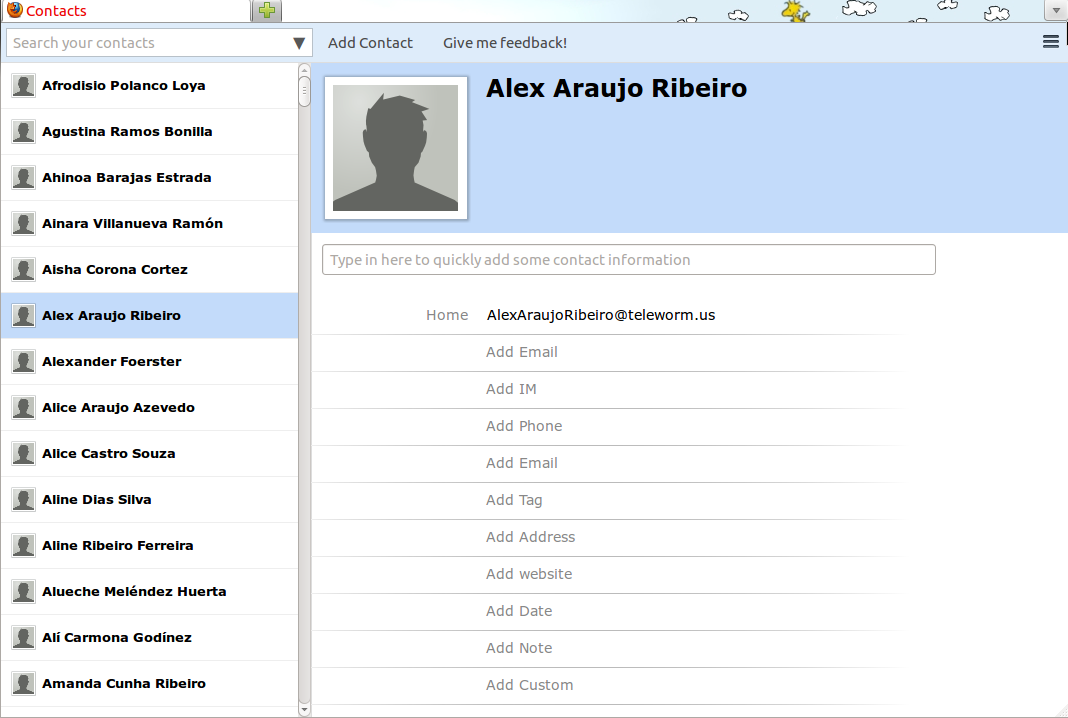
The majority of my work lately has been on a project called EDS Contacts Integration. Do you remember when I talked about Ubuntu One contacts sync, and how I wanted to integrate that with Thunderbird’s address book? Well, I went to UDS a few weeks back, and I learned that a bigger / better goal would be to integrate with EDS (Evolution Data Server), which acts like the global address book, task list, calendar, etc for Ubuntu. If I integrate here, then *all* Evolution address books (including the Ubuntu One address book and Google Contacts address books) should be available in Thunderbird. So it’s a pretty big win.
So, like the Unity Launcher and Messaging Menu integration, this integration is currently being implemented as a Thunderbird add-on.
Currently, this add-on has basic read-only. I can view EDS address books, contacts and mailing lists. EDS contacts appear in the auto-complete when I start typing an e-mail address. They’re searchable. I can view the photos of EDS contacts. There are some edge cases that I haven’t addressed yet (reading address books that require authentication, for example). That’ll be coming soon.
I’ve also started work on write capabilities. I can now add and remove addresses on a mailing list, and set whether or not I want e-mail addresses to be hidden when I send mail to the list.
So, in short, I’m making pretty decent progress. Not bad for a month’s work.
But I can’t just fork over the add-on for you to play with, because this work has several other moving parts. The first moving part is the core address book de-RDF’ing work I started a few months back. The patch for this is landing in Thunderbird’s trunk shortly, which I’ve very excited about. And the second moving part: a patch in trunk where I’ve made a few slight modifications to the address book infrastructure. This makes it easier for add-ons (like my EDS integration add-on) to extend the behaviour of the address book. This will also, hopefully, be landing shortly once I’ve polished it up, and gotten it through review.
Once those patches land, my add-on should work properly on trunk. And not long after that, the patches will land in an Early Bird release for you all to try!
More blogging soon. And more screenshots. And maybe a video. Stay tuned.
Getting the RDF Out
As I mentioned last time, I want to extend the Thunderbird address book to support Ubuntu One contacts synchronization.
But there’s a problem: currently, the address book relies on something called RDF, which prevents me from extending the address books outside of C++.
“So why not just write it in C++?”, I hear you cry!
The answer: because Thunderbird has been trying to shake RDF like a bad cold. A developer named Joey Minta officially declared war on RDF in March of 2008. The campaign to rid Thunderbird of RDF is almost complete.
So I’d hate to damage the war effort by adding more RDF code to Thunderbird.
The solution? I have to finish what Joey Minta started – at least for the address book. I have to replace all RDF-dependant code with something better – something extendable.
Then I can get down to work on the Ubuntu One sync.
So saddle up. We have to hunt this RDF bum down. For justice.
Thunderbird and Ubuntu One: First Thoughts, First Roadblock (or Prior Art and RDF’d)
Remember my quest to integrate Ubuntu One contacts into Thunderbird?
So I spent a chunk of time over the last day or so looking at prior art – the efforts of others to solve the same problem. (I’m using “prior art” pretty loosely. I’m not by any means filing patent claims.)
Prior Art Round-up
The Hedera Project
Hedera is a Thunderbird extension, and probably the most direct solution to the Thunderbird and Ubuntu One integration problem. With Hedera, all contacts in all address books are sent off to Ubuntu One, with metadata to keep the contacts in the right address books. Metadata is also included to keep contacts distinct from one Thunderbird profile to the next (if you’re one of the rare users of profiles).
As of late, the extension has gotten a bit dusty – the author, James Tait, is currently working at Canonical, and hasn’t had much time to maintain it.
Despite that, it still does the job pretty well. I was successfully able to synchronize my contacts to Ubuntu One, which made me fist-pump. Great work, James!
However, after examining the code, I have a few concerns:
- The first one that jumps out at me is the reliance upon a shell script to determine the DesktopCouch server port, as well as obtain access credentials. While effective, I think a more direct approach would be more appropriate. Perhaps I could develop a DesktopCouch XPCOM service that returns these values?
- Contacts that are not branded with “Thunderbird” metadata are ignored. This means that contacts created from the Ubuntu One web interface are not brought into Thunderbird, unless the metadata can somehow be added there. I didn’t immediately see a way to do this. This also means that contacts from other applications (I’m looking at you, Evolution) don’t get brought into Thunderbird.
- Since the contacts are also given profile metadata, it means that I only get those contacts if I share the same profile. This is problematic if I drop my computer in the river, get a new one, and fire up a copy of Thunderbird: my profile will be different, so my contacts won’t come in. They’ll still exist in Ubuntu One’s storage, but won’t come into my Thunderbird profile, unless I modify my profile string to match my old one.
Funambol Mozilla Sync Client
Funambol develops open-source mobile communications sync software, and it looks like Canonical is using Funambol to power their mobile sync services.
Users install the Funambol Mozilla Sync Client, which then syncs contacts with Ubuntu One over the mobile sync service.
It’s not a bad solution, and is the one advocated by the Ubuntu Support pages.
Here are my concerns:
- According to the support pages, only Thunderbird 2.x is currently supported. Thunderbird 3.1.9 is the current version in the Ubuntu packages, and the Mozilla Messaging team is working like crazy people on 3.3 (where did 3.2 go? long story). Supporting Thunderbird 3 is a BFD.
- This approach assumes that you’ve got the $3.99 US per month mobile Ubuntu One service.
Now, with respect to that last point, I’m not against paying for stuff. Money lets companies like Canonical, Funambol (and Mozilla Messaging, for that matter) survive. But I do think it’s a little silly that Thunderbird needs to pretend to be a mobile phone, and communicate through the mobile sync service. That’s why I said Hedera was the more direct solution.
If I got any of that wrong, I’m sure someone from Funambol will comment and correct me.
Bindwood
Bindwood is an extension that allows Mozilla Firefox to synchronize bookmarks via Ubuntu One. The reason I’m putting this up, is because a lot of good code has been written here to communicate with the DesktopCouch service. If I resolve a few licensing issues, it might be possible for me to leverage some of that code to make the Thunderbird + Ubuntu One project move faster.
Evolution
Evolution currently has Ubuntu One support built in, thanks to the Evolution-CouchDB project.
Evolution-CouchDB creates a new address book called “Ubuntu One” for every user. Any contacts that go into that address book are sync’d with Ubuntu One, and any contacts that get added to Ubuntu One get loaded into that address book.
It’s an elegant solution, and addresses the issues I brought up with Hedera.
If I were to implement a similar solution for Thunderbird, it would mean that contacts between Evolution would be seamlessly imported into Thunderbird. The behaviour would be exactly the same. Consistency is good. Consistency means happy users.
Unless I hear compelling argument for something else, I think this the behaviour I’m going to implement.
Mac OSX’s Address Book
Mac OSX has it’s own internal address book, and many Mac-based Thunderbird users were crying out for integration. A developer named Peter Van der Beken karate-kicked the bug (and may have collected a bug bounty on it…unsure), and now we have OSX address book integration.
The OSX address book integration is very similar to Evolution’s behaviour: it creates a new address book within Thunderbird, and all contacts from the OSX native address book appear there.
As it stands, this integration is read-only.
Since we’re dealing with OSX, it means Objective-C is the name of the game. Here’s the code.
Ugh. Wouldn’t it be awesome to leverage some of the work from Bindwood, Hedera (and maybe Funambol…I haven’t examined their code yet), and implement the Ubuntu One integration all in Javascript? Yes! That’d be lovely!
Except for one thing.
RDF
I spent most of yesterday examining this one, and I think I’ve got my head wrapped around it.
So, RDF stands for Resource Description Framework, and it’s a way of representing information in a way so that machines can make useful inferences and queries about that information. That’s a super-simplified definition. Here’s something a little more robust.
What does this have to do with Thunderbird and Ubuntu One?
Well, it turns out that the Thunderbird address book interface uses RDF to query / know about the address books that are available. So, when you pop open the address book manager in Thunderbird, and it populates the list of address books, it’s using RDF to get that information.
So what’s wrong with that? Well, it means that if I want to add a special “Ubuntu One” address book, it has to register itself with the RDF service as an RDFResource.
There’s two issues there:
- Part of RDFResource is not scriptable, which means it’d need to be implemented in C++. So much for leveraging Bindwood / Hedera / Funambol.
- The Thunderbird team knows about the limitations of RDF and are trying to remove it’s usage from Thunderbird. I’d hate to implement all that RDFResource stuff just so it can get tossed out in a few months.
So I might have to really start pushing on RDF removal from the address book. If I go that route, it means that Ubuntu One synchronization would not be available for anything earlier than Thunderbird 3.3. Ugh.
Sounds like it’s time for me to discuss this with my superiors. I’ll let you know what I find out.
My Campaign to get Thunderbird Integrated into Ubuntu Natty Narwhal Continues…
I’ve been silent about my work for a few weeks, which is a shame, because one of the top reasons why I accepted a job with Mozilla Messaging was because I was free to talk about what I was doing.
I’ve been neglecting that right, but only because I’ve been holy shit busy. I’ve been blitzing my Ubuntu Unity integration work like a MoFo, and have gotten two Thunderbird extensions up on Mozilla Labs:
So what’s next?
Ubuntu One
Ubuntu One is a service that allows you to sync things like files, bookmarks and contacts between different computers. (Incidentally, Mozilla has their own service called Sync to do something similar with bookmarks and passwords.)
That’s a pretty cool idea. Imagine it – you get a brand new computer, hook it up to Ubuntu One, and blam: all of your bookmarks and contacts are already there waiting for you.
Currently, however, Thunderbird does not support sharing contacts via Ubuntu One.
And that’s what I’m tackling next.
Ubuntu One Contacts Integration
At this point, my goal is to write an extension that will add a new address book to Thunderbird. Any contacts that are currently stored and shared via Ubuntu One will appear in that address book.
I’ll deal with adding new contacts later – for now, I’ll just do read-only, to keep the complexity down.
So stay tuned. Ubuntu One Contacts integration is coming…
MoMo All-Hands: Day 4 (Another Gorgeous Day, and then a Dicey Situation at Night)
As usual, I woke up, grabbed a shower, and headed down to breakfast. The routine was really starting to sink in.
Breakfast was yogurt, croissants, and granola, with little cakes. Very tasty. And the weather? Gorgeous as usual.
After breakfast, we were underway. There was lots of talk about features in the upcoming version of Thunderbird. There was a long talk where we batted around ideas on how to reward contributers to Thunderbird.
I got a lot done that day – I’d been having some trouble getting Ubuntu Natty running on my laptop virtual machine, and I finally got it going. I kicked off a Thunderbird debug build, and got the globalmenu extension I was tinkering with compiled. I had a segfault to solve, and I dug into that.
Around five, we broke for dinner. Everybody was going to different places, and I chose an Italian restaurant called Il Lupino with Karen, Gozer, Shane, and Mark Banner. The restaurant was new, and seemed like they were still getting their act together. It seemed like there were a lot of waiters standing around not doing much, and only one or two staff running around doing a whole bunch.
It was a bit of a wait, but they fed us bread. Eventually, dinner arrived, and it was tasty.
After dinner, we walked back to the hotel along the beach. It was a nice, cool night. There was a super fine mist in the air, which I gather is the Hawaiian version of a light rain.
When we got back to the hotel, a bunch of people were playing XBox in the meeting room. I watched for a bit, played a few rounds, and eventually called it a night.
Trapped
I headed up to my hotel room, and started getting ready for bed. As I was brushing my teeth, I noticed something strange about my bathroom.
The bathroom was divided up into two sections. One section had the sink, a big mirror, and a bathtub. The other section was where the toilet and the standup shower were. The sections were divided by a doorway that didn’t have a door to go with.
Or so it seemed. On closer inspection, it turned out there was a door to go with the doorway. It was a sliding door, like one might have to out onto a back patio, and it was recessed into the side of the doorway.
I was curious, so I pulled it out to take a look at it:
The only feature on the door was a little metal plate for sliding it back and forth:
And you’ll notice that in the center of the little metal plate is a white button.
I’m a naturally curious guy, and I wanted to see how the locking mechanism worked. So I closed the door, and pressed the white button.
It only took me a few seconds to realize that there was no way to un-press the white button. I had just trapped myself into the toilet/shower side of the doorway.
At first, I thought this was really funny. What a stupid design for a door! After a few seconds of laughing at myself, the gravity of my situation started to sink in:
- I had no cell phone to call for help. No roommate who’d be coming in.
- Nobody would be looking for me until morning.
- The door didn’t have any hinges for me to take apart. And, because it was a sliding door, it meant that all edges of the door were recessed into the doorframe, which meant no kicking it down.
- I’d put the “do not disturb” on my door, so I couldn’t count on the cleaning lady to let me in in the morning.
- The space in that section was about the size of two phone-booths combined. If I had to sleep there, it’d be an uncomfortable night.
- It was late, so banging on the walls and making a huge ruckus was probably a last option. And there was no guarantee that any of the rooms near me were occupied.
It was a sticky situation. Not life-threatening by any means, but quite a predicament nonetheless.
Macgyver
So, after thoroughly examining the lock, my first step was to take an inventory of my tools:
- There were towels and toilet paper. I didn’t see how I could use those on the lock.
- The contents of the toilet tank included the floater ball, and a chain for the drain mechanism.
- The shower head was connected to the faucet via a snaky metallic tube that could be disconnected at both ends.
- I was carrying my wallet, which had some paper money, and some coins.
- I was wearing my belt.
- I had shorts on, and the metal tab on my zipper could possibly be used as a screwdriver.
I decided to attack the lock with my belt. I rammed the swing-arm on the belt buckle into the area between the white button and the metal plate, seeing if I could make some room on either side of it. I ended up working away some of the plastic on the button, and was able to make some space.
Ok, so now I could wiggle the button back and forth.
Continuing with my belt, I tried to “scoop” the button out – but the plastic was too slippery, and I didn’t seem to be making and progress. And, at some points, it seemed like the button was going farther in, and I really didn’t want to make my situation any worse.
I switched tools, opened up my change wallet, and pulled out two dimes. My fingers were too big to pinch the button and pull out, so I tried using the dimes.
It was starting to get hot in there.
With one dime pinched in each hand, I worked them like the world’s most awkward tweezers. I grabbed the button, squeezed inwards towards the button, and tried to pull out.
The button was slick, and the dimes kept slipping off. It didn’t look good.
And then…
Suddenly, I had a good grip on the button, and the dimes pulled it out.
I fist-pumped, slid the door open, and enjoyed the cool air. I’d been trapped for about 25 minutes. It was good to be out.
And then I took some photos. Here’s a shot of the toilet/shower room just after I escaped:
and here’s a shot of my trusty, if clumsy, tools:
I went to bed pretty exhilarated. I was looking forward to telling everybody about this at breakfast the next morning.
MoMo All-Hands: Day 2 (Sunrise, The Meeting Room, Demos, Dinner at Uncle Bo’s)
Sunrise
I woke up after a night of fitful dreaming about long airplane rides, dip masquerading as hummus and missing socks.
I only had myself to blame for the socks. Em had awesomely helped me pack two weeks worth of clothes into a carry-on bag, and the socks had been my responsibility. Sigh. Oh well.
It was early at this point. Too early. I glanced at the bedside clock…6 AM. It’d been a long time since I’d been up this early. And yet, strangely, I felt fully rested.
Fully rested, and excited. I was in Hawaii, baby!
I was determined to make the best of the early morning, and watch the sunrise. So, I scrambled around, getting dressed – during which, I got a few shots of the sun starting to rise through my hotel room window.
It was time to hit the pavement. I threw on my sandals, and stepped into the elevator. I tried not to think about my sock problem. I figured I would spend most of my trip in sandals, so the lack of socks really wouldn’t be an issue until later on in the trip.
The hotel was pretty close to the beach, but the sun was coming up fast, and I didn’t want to miss it. I started jogging, flew past the Hilton lagoon, and made it to the beach in time to take these shots:
And this video:
It was very peaceful and serene.
Before going back up, I took a few minutes to walk around the hotel. There was a nice decorative fountain near the entrance, as well as a Kona Coffee shop.
I’m not a big coffee drinker, but apparently Kona Coffee is a pretty BFD. Before I left home, my Mom asked me to bring a few bags back. I didn’t have a chance on this morning though – the Kona Coffee shop was closed:
I eventually made it back to my room to grab a quick shower and shave before the 9AM breakfast.
The Meeting Room
The hotel we were staying at was the Ilikai Hotel, which is featured in the opening to Hawaii Five-O.
The hotel didn’t want you to forget that either – they were pumping episodes of Hawaii Five-O through some flat-screens near reception, 24/7.
Along with the hotel rooms, the Ilikai was also providing a meeting room for the team for the week. The meeting room was also where breakfast and lunch would be served. It was a pretty awesome arrangement.
Here are some shots of the meeting room.
We’ve got a patio outside too, in case we decide that we need to have a meeting in the sun:
When I got to the meeting room, there were already a bunch of people there, and I went around and said a lot of hello’s. Once again, a lot of names and faces flew by, and it was hard to keep them all straight in my head.
Breakfast was yogurt with granola, and what appeared to be banana bread. Delicious.
After breakfast, David Ascher gave a talk about the mission of Mozilla Messaging, and what we’d accomplished in 2010, and what we were aiming to accomplish in 2011. There was a nice and easy, accessible vibe in the room, and I don’t think it was just because everybody was wearing Hawaiian shirts – the whole crew just seemed to gel that way.
After the talk, we more or less figured out the schedule for the rest of the week. That day, we’d be doing a bunch of demos.
Demos
The demos were pretty cool. Blake did one on the account provisioning service that he’s been working on for Thunderbird:
And then showed off some more experimental work that he and a few others been doing on a project called Thunderbird Air. Think of Thunderbird Air as a jam session for ideas about messaging interfaces. It’s pretty cool.
Then, we got a demo of F1, MoMo’s shiny new Firefox add-on that makes sharing stuff easy. It’s pretty badass. Here’s an early video showing off what F1 does:
After that, Andrew Sutherland gave a talk on the new widgeting library he was working on called WMSY.
Afterwards, there was a big talk about mail storage with David Bienvenu – one of the original developers of Thunderbird.
After that, it was lunch break. Salad and sandwiches. Very tasty. There was also some peculiar bread that had a sweet taste and was blue/purple inside. Very interesting.
After lunch, people just hacked on their laptops for a bit, and chatted. Smaller discussions about other projects broke out. People went out onto the patio for sun. Very relaxed and casual. Eventually, someone plugged in the XBox and the Kinect, and we watched David Ascher and Dan Mosedale do some extreme white-water rafting.
Dinner at Uncle Bo’s
Eventually, things wound down. Old habits die hard, and the group started to fold around 5PM. At that point, I packed up my stuff and headed back to my room. I talked to Em on Skype. I got ready for dinner – I’d be meeting the rest of the group downstairs at 6PM.
I showed up at the lobby just in time for Sancus to tell me that we were meeting at 6:30PM instead of 6PM. That gave me just enough time to run around and try to grab a few photos:
I got back to the lobby just in time to meet the group as we started to head to a restaurant called “Uncle Bo’s“. Apparently, it’s pretty well known in Hawaii. The food was eclectic, but tasty. I spent most of dinner talking with James Burke, John Hopkins, Mark Banner and David Sifry about things like British humour, Top Gear, and trolling Nigerian prince scammers. Good times.
Watermelon sorbet for dessert. Delicious.
I didn’t take photos during the dinner (at this point, I still didn’t know everybody, and would have felt weird photographing them), but I know Roland Tanglao did. Here are a few:
Stuffed, we cabbed back home. Some of the team was headed to a patio on the beach, and I tagged along. As some live music played, I talked school and science fiction with Andrew Sutherland and Gozer. I also found out that Gozer is a pool shark, and we decided to find a time to hit a pool hall sometime over the week.
At some point, a wave of exhaustion hit me, and I decided to head back to the hotel.
I made my way back to my room, jotted down my daily notes, and nodded off.